Social Media for Event Venues: Fill Quiet Dates and Track Bookings
Introduction: Why Social Media for Event Venues Starts With the Diary
Social media for event venues usually gets judged by how pretty the feed looks. However, a venue sells dates, and every empty Tuesday in February is income that never comes back.
Most venue advice says to post past events, testimonials and staff. That is sound, yet it rarely connects a post to an unsold date or a signed contract. Therefore, this guide covers ranking quiet dates, filming one room three ways, building footage rights into bookings, and tracing each booking to the content behind it.
Sell Dates, Not Just the Room
Let Social Media for Event Venues Follow the Booking Diary
Open your calendar before any app. Mark every unsold date in the next 90 days and note which you most want to fill. As a result, your plan starts from a revenue gap, not a blank page.
Rank Quiet Dates by What They Are Worth
Not every empty date deserves a campaign. For example, an early December Thursday may fill itself with office parties, while a January Monday rarely will. So, give each date a rough value and likelihood score, then focus on dates worth winning but unlikely to fill alone.
Make the Date the Hook
A generic room tour asks viewers to imagine an event. In contrast, a clip that opens with "Three Wednesdays left in March for team away days" gives a planner a reason to act this week. Similarly, name an event type that suits the date, such as a winter supper club.
Promote Off-Peak Rates Honestly
Discounted weekday rates are fair, but the offer must be clear. In the UK, the ASA's non-broadcast advertising code expects prices to include unavoidable fees. Likewise, the Federal Trade Commission polices misleading US pricing, so state minimum spends and service charges upfront.
Film One Space Set Up Three Ways
Shoot the Turnaround From One Fixed Spot
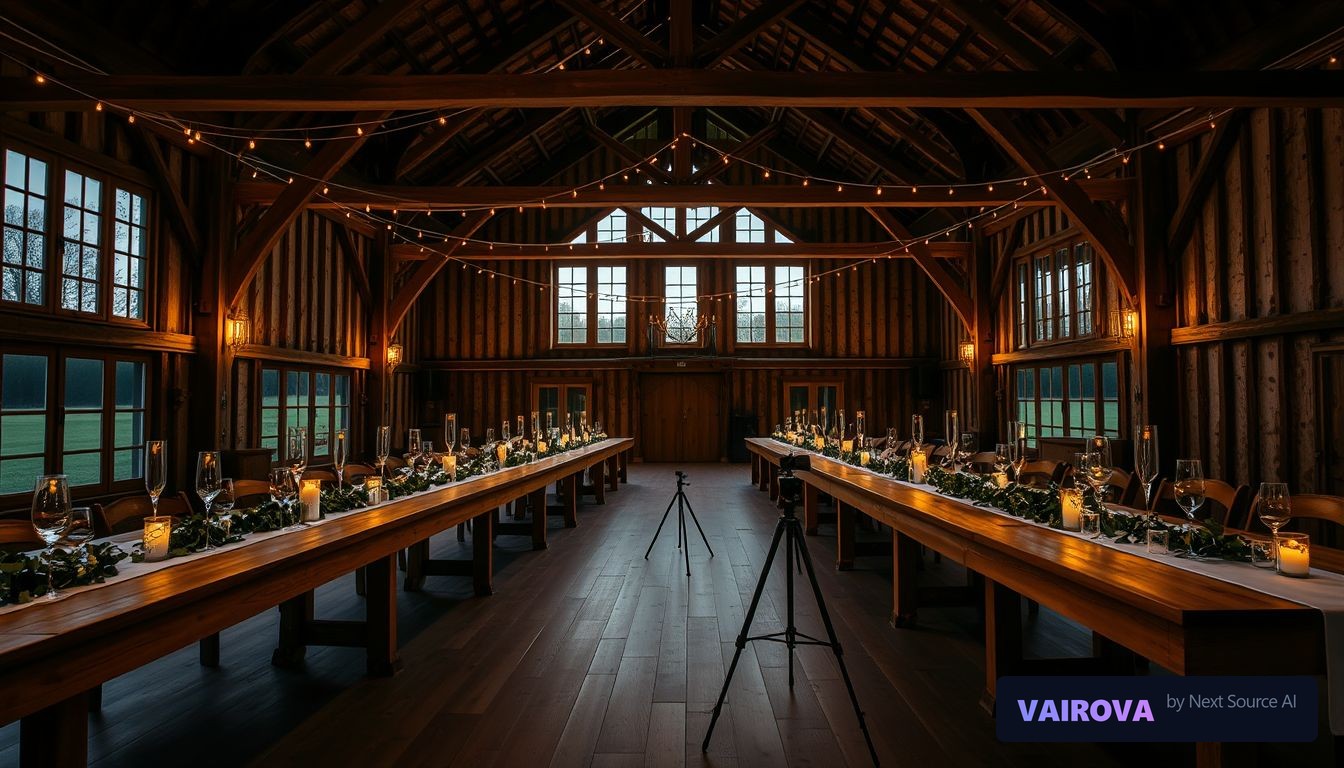
Planners struggle to picture a bare room. Therefore, lock a phone on a tripod and film the space as a theater-style conference, a long-table dinner and a standing reception. Cut the three together, and viewers see the room's flexibility instantly.
Match Each Layout to a Buyer
Each layout speaks to a different buyer. For instance, the conference suits an HR manager, the dinner a charity, and the reception a launch team. Consequently, write a caption for each audience.
Show Capacity Truthfully
Quote real seated and standing numbers for each layout, and avoid wide-angle tricks. Moreover, fire safety limits set the true maximum, so never advertise above them. Honesty prevents wasted visits.
Add Captions and Access Details
Many people watch muted, so caption every clip using our guide to adding subtitles to videos. In addition, mention step-free access and follow the W3C accessibility principles for clear text.
Build Footage Rights Into Every Booking
Add a Content Clause to Your Contract
The best footage comes from real events, but permission comes first. So, add an optional clause to your booking terms asking to film the setup before guests arrive. Clients who agree give you a steady supply of styled rooms.
Ask Photographers Before You Repost
A photographer usually owns the copyright in their images, even when the client paid. Under UK copyright rules and the US Copyright Office's guidance, reposting without a license can cause problems. Therefore, ask the photographer and credit them by name.
Treat Guests as Private People
Attending a party is not consent to appear on your feed. In the UK, images of identifiable people can be personal data, regulated by the Information Commissioner's Office under the rules on the GOV.UK data protection page. Similarly, US state privacy and publicity laws vary, so get written consent before featuring any guest.
Film the Room, Not the Party
The simplest fix is filming the dressed room before doors open. Furthermore, details of tables, lighting and the bar rarely show faces. Our user-generated content rights guide covers reposting client clips.
Trace Every Inquiry Back to Its Post
Ask One Question on Every Inquiry Form
Add a required field asking how the person found you, plus which date they want. Consequently, you can match each inquiry's source to the dates your content promoted.
Use a Separate Link for Each Platform
Give Instagram, TikTok and Facebook their own tracked inquiry link, as our link in bio guide explains. Moreover, keep your Google Business Profile updated, because many planners search by location first.
Measure Inquiry-to-Booking, Not Views
A modest clip that produces three contracts beats a viral reel that produces none. Therefore, track inquiries, site visits and confirmed bookings per content type each month. Our social media ROI guide turns those figures into a simple return.
A Weekly Decision Framework for Venue Content
Step One: Check the Gap
Every Monday, find the three most valuable unsold dates in the next 90 days. However, if a date is close and still empty, it takes priority.
Step Two: Choose the Format by the Problem
Next, decide what stops that date selling. If planners cannot picture the room, post a turnaround clip. If they doubt the price, post a package breakdown, and if they doubt your service, post a credited client setup.
Step Three: Review and Repeat
At month end, compare inquiries and bookings by format. Then, keep the best converter for each kind of date and drop the weakest. Over time, social media for event venues becomes a repeatable system rather than guesswork.
A Practical Example
The Situation
An illustrative converted barn seats 110 for dinner and hosts most weddings on summer Saturdays. Between January and March, it had sold only 6 of its 52 weekday dates. Furthermore, the owner never knew which posts produced inquiries.
The Change
The owner filmed a monthly turnaround video showing the barn as a training room, a supper club and a reception. Each caption named open weekdays and a midweek rate of $2,400, including fees. Additionally, the inquiry form gained a "how did you find us" field and each platform got its own link.
The Result
Next quarter, the venue received 31 weekday inquiries, and 12 of them cited a turnaround video. Weekday bookings rose from 6 to 14, so the eight extra dates added about $19,200 at that rate. Turnaround videos converted 5 of their 12 inquiries, the best rate of any format. Results like this are illustrative and depend on location, pricing and season. Nevertheless, linking each post to a date made the owner's decisions far clearer.
How Vairova Can Help
Vairova researches trending formats, turns your turnaround footage into captioned short videos, and schedules daily posts to TikTok and Instagram. As a result, quiet dates get promoted while your team runs events. Start your free Vairova trial, or compare plans on our pricing page.
Conclusion
Effective social media for event venues starts with the booking diary, not the camera. Rank quiet dates, film one room several ways, secure footage rights and track every inquiry to its source. Above all, judge content by signed bookings rather than likes. To get those clips edited and posted for you, a free Vairova trial is a simple next step.
Frequently Asked Questions
Q: How should social media for event venues help fill weekday dates?
A: Social media for event venues works best when each post names specific open dates and suitable event types. Furthermore, a clear midweek rate prompts planners to inquire.
Q: What video should a venue post first?
A: A turnaround clip showing one room in three layouts is a strong start. In addition, it answers the planner's flexibility question.
Q: Can a venue post photos taken by a client's wedding photographer?
A: Usually only with the photographer's permission, because they often keep the copyright. Therefore, ask them directly and credit them in the caption.
Q: Do UK venues need consent to post guests in their videos?
A: Identifiable guests can count as personal data, so get clear consent first. Similarly, the Information Commissioner's Office publishes guidance for small businesses.
Q: How can a US venue tell which posts lead to bookings?
A: Add a source question to the inquiry form and give each platform its own link. Moreover, compare confirmed bookings, not views, for each content type.
Q: How often should an event venue post?
A: Two or three focused posts a week suits most small teams. Above all, plan them around unsold dates, not a quota.
Disclaimer
This article is general guidance current as of November 2026 and is not legal advice. The example is illustrative. Copyright, privacy and advertising rules vary across the US and UK, and platform features change. Therefore, confirm details with the Information Commissioner's Office, the Advertising Standards Authority, the Federal Trade Commission, the US Copyright Office and each platform's help pages. No marketing approach guarantees bookings.